Compare · morebasket vs Squarespace
morebasket vs Squarespace: which should you choose?
Squarespace is a design-led website builder with commerce features and polished templates. Here is how it differs from morebasket, who each one suits, and what moving between them takes. We're a smaller, newer product, so we say where Squarespace is the better fit too.
One store. Everything connected.
morebasket
Best for
Shops that want to sell quickly, with the design drafted for them.
Squarespace
Best for
Creatives and small brands where templates, portfolio and polish matter most.
An honest side-by-side. Details about Squarespace can change, so check their site for today's offer.
Which fits you
Pick the one that matches how you work
Pick Squarespace if…
Design polish comes first, if your site is a portfolio, brand or services site with a small shop, or if you want its templates and member areas. It is well regarded for look and feel. Also pick it if you already use it happily.
Pick morebasket if…
You want a store that is drafted for you and ready to sell, and you would rather ask for changes than learn an editor. It also fits if you need channels, creator tools, a Google and Meta feed or several stores in one product.
Side by side
morebasket vs Squarespace, topic by topic
Getting started
morebasket
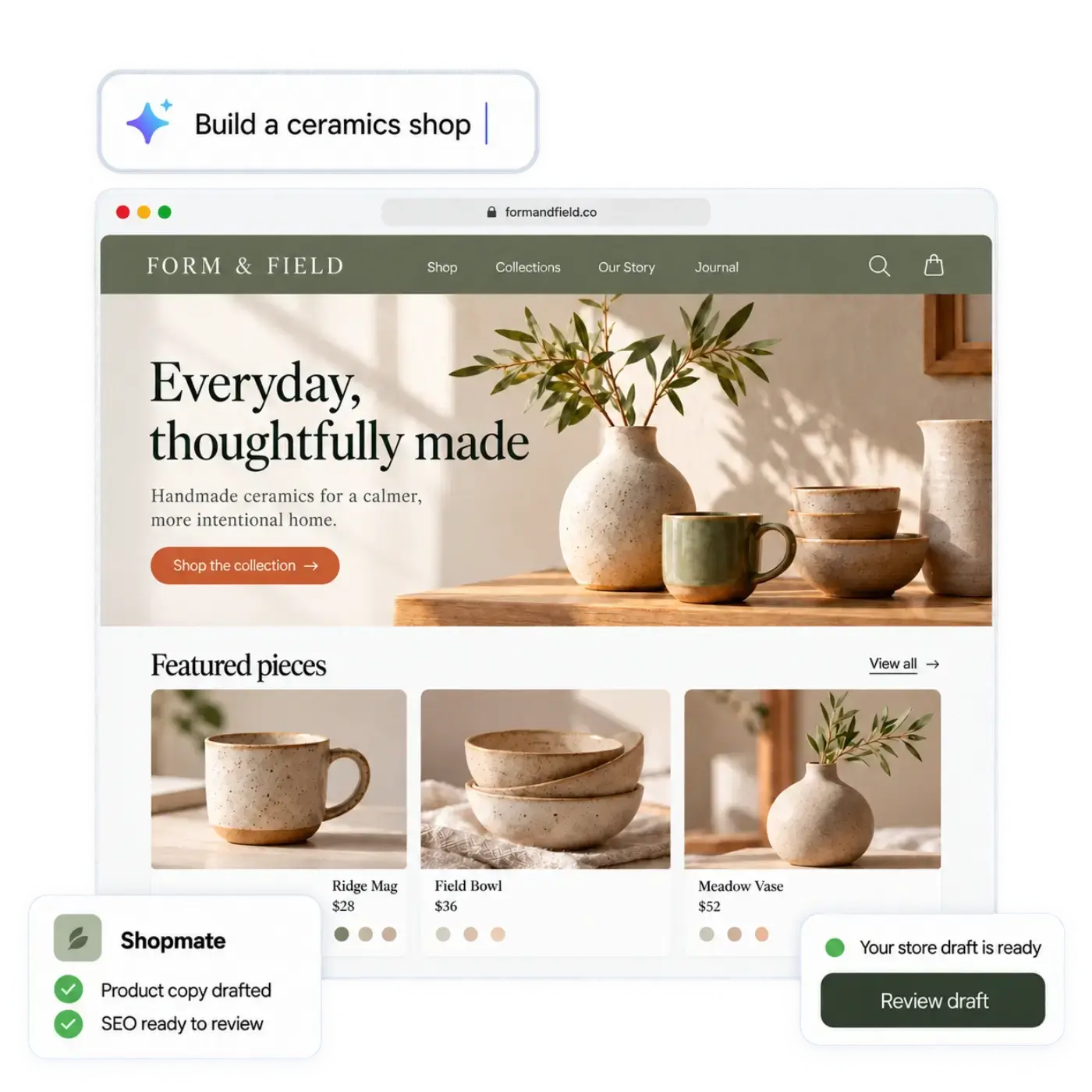
Describe your shop in your own words, or start from a spreadsheet of your products. The AI store builder drafts the design, page copy and a first catalog. CSV import in Products also works on its own.Squarespace
Is hosted for you. You choose a template, then build pages and add products yourself, with AI help for starter copy.Making changes
morebasket
Click anything to edit it, or ask Shopmate in plain words. Shopmate changes a draft of your design, small edits can be undone in one click, and Shopmate never publishes for you.Squarespace
A structured, section-based editor with a strong design focus.AI features
morebasket
The AI store builder sets up the store. Shopmate makes changes by chat while you build and also works inside your admin, where store-data changes arrive as suggestion cards you apply, each with an undo. The AI workforce (Product, SEO, Builder, Order and Inventory agents) takes on routine jobs using your live store data, and you decide what runs automatically and what needs your approval. You can switch on ready-made AI workflows, write your own, and share them in the workflows marketplace.Squarespace
Offers AI help for writing text and building out pages. See their site for the current list.Selling channels
morebasket
Products can be scoped to sales channels. The plan list puts a Google and Meta product feed and buy-button widgets for any web page on Pro. Etsy sync pushes your listings to Etsy and brings Etsy orders into your order list, and TikTok and Pinterest are sales channels you add from your admin. Checkout for AI shopping agents runs on Stripe, and you talk to us to get it set up.Squarespace
Sells through your site, in person, and with partner services such as print on demand. See their site for the rest.Payments
morebasket
Stripe or PayPal at checkout. Each store connects its own accounts, so money goes to your account at your provider's rates. Memberships, the buy button and agent checkout use Stripe only. Regions, currencies and tax regions are set per store.Squarespace
Supports common payment providers. See their pricing page for what each plan includes.Products and catalog
morebasket
Variants and options, collections, categories, tags, bundles, multi-part products, and CSV import and export.Squarespace
Physical, digital and service products, with commerce depth that depends on your plan.Orders and operations
morebasket
Orders with payments, fulfilments, returns, exchanges, claims and draft orders. Stock across locations with reservations. Shipping through Shippo or manual fulfilment. Customer groups, and price lists on the Pro plan.Squarespace
Core order and inventory tools are built in, with extensions for more.Many stores
morebasket
Business plan: several stores from one login, each kept apart from the others, with authorised switching between your stores.Squarespace
Check their site for how separate sites are handled.Creator and digital products
morebasket
On the Pro plan: digital products delivered to the buyer by email, memberships billed monthly or yearly through Stripe (you create and manage tiers and digital products from an admin screen), and print on demand through Gelato or Printrove. Subscriptions for physical products (subscribe and save) are not supported.Squarespace
Supports downloads, member areas and subscriptions alongside physical goods.Moving your catalog
morebasket
Import products from a CSV, then rebuild pages and settings with the AI store builder. The Business plan includes help moving from another platform.Squarespace
Lets you export products to a CSV. Details change, so check their site for what they offer today.Best for
morebasket
Shops that want to sell quickly, with the design drafted for them.Squarespace
Creatives and small brands where templates, portfolio and polish matter most.Moving from Squarespace
Three steps, and you don't have to rush
Build and check the new store while the old one keeps selling.
Export from Squarespace
Export your products as a CSV file. Your Squarespace store keeps selling while you move.
Import into morebasket
Import the CSV into Products. Your store stays private until you publish it, so you can check everything first.
Describe your shop
Tell the AI store builder what you sell, and it drafts the design and page copy around your products.
Want to try morebasket when we open?
morebasket is in beta. Join the waiting list and we'll email you when your spot opens.
Questions about moving from Squarespace
Talk to usHow do I move my Squarespace store to morebasket?
Export your products from Squarespace as a CSV and import the file into morebasket. Rebuild pages with the AI store builder by describing your shop. The Business plan includes help moving from another platform.
How do the costs compare?
See the morebasket pricing page for plans. Payments go to your own Stripe or PayPal account at their rates. For Squarespace, see their pricing page, since plans and fees change.
What would I miss leaving Squarespace?
Its template craft and member areas for private content are strengths. morebasket has memberships on the Pro plan but is built for selling, not as a portfolio site. You gain orders, stock, channels and AI jobs.
Is the design as polished?
Your store starts from a design that suits your kind of shop, and every part is editable by clicking or asking Shopmate. Look at both and judge for yourself.
Can I run both while I switch?
Yes. Build and test the morebasket store while your current site keeps selling. Your store stays private until you publish it, so you can build and test in private, then publish and switch your domain when you are ready. The plan list puts your own domain on Pro.
Can I sell digital products and memberships on morebasket?
Yes, on the Pro plan: digital products you manage from your admin, with the download link emailed to the buyer, memberships with tiers you create in your admin and bill monthly or yearly through Stripe, and print on demand through Gelato or Printrove. Subscriptions for physical products are not supported.
More comparisons
See all the alternatives
More platforms worth a look, and who each suits.
morebasket vs Shopify
Shopify is a widely used hosted commerce platform with a large theme and app ecosystem.
morebasket vs Wix
Wix is a popular website builder with a drag-and-drop editor and an online-store option.
morebasket vs WooCommerce
WooCommerce is open-source commerce software for WordPress that you host and run yourself.
morebasket vs BigCommerce
BigCommerce is a hosted commerce platform known for built-in features and tools for larger and B2B stores.
Your next chapter starts here
Describe your shop. Open it today.
Tell us what you sell. The AI builds a store you can edit, and you can start selling from it right away.
Try
Free to start. No credit card required. Explore plans