Compare · morebasket vs WooCommerce
morebasket vs WooCommerce: which should you choose?
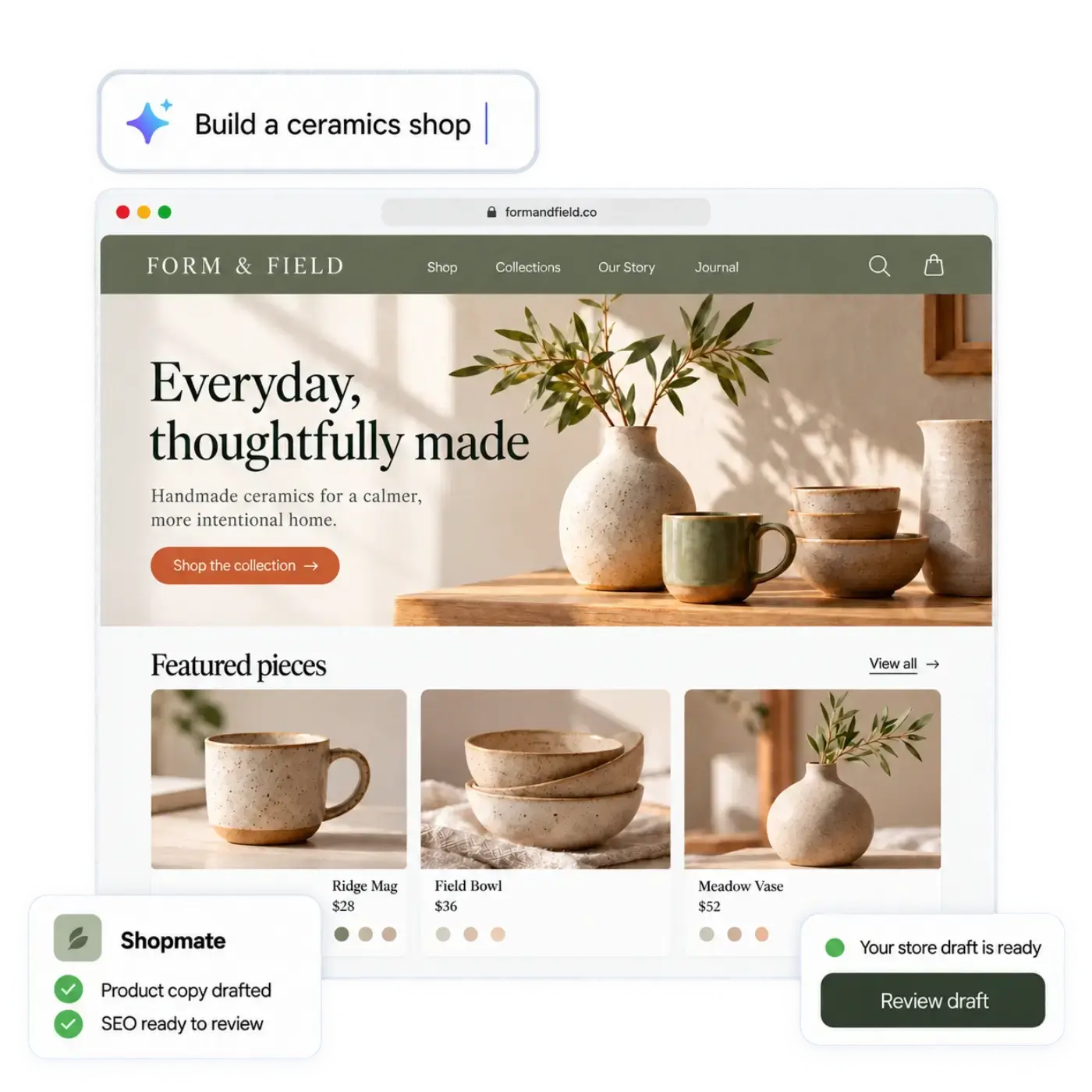
WooCommerce is open-source commerce software for WordPress that you host and run yourself. Here is how it differs from morebasket, who each one suits, and what moving between them takes. We're a smaller, newer product, so we say where WooCommerce is the better fit too.
One store. Everything connected.
morebasket
Best for
Shop owners who want to sell, not maintain a website.
WooCommerce
Best for
People who want total control and have the time or developer help to keep it running.
An honest side-by-side. Details about WooCommerce can change, so check their site for today's offer.
Which fits you
Pick the one that matches how you work
Pick WooCommerce if…
You want full control of the code, data and hosting, if you already run a WordPress site and can maintain it, or if you need deep custom development. Its extension marketplace is large and the software is open source. You own every moving part.
Pick morebasket if…
You do not want to manage hosting, updates and plugins, and want a store you can start from a description of your shop. You spend your time selling instead of maintaining. morebasket is also built on open-source commerce technology, with an API for developers.
Side by side
morebasket vs WooCommerce, topic by topic
Getting started
morebasket
Describe your shop in your own words, or start from a spreadsheet of your products. The AI store builder drafts the design, page copy and a first catalog. CSV import in Products also works on its own.WooCommerce
Is self-hosted software you install on your own hosting. You set up WordPress, the plugin, a host and a theme, then configure.Making changes
morebasket
Click anything to edit it, or ask Shopmate in plain words. Shopmate changes a draft of your design, small edits can be undone in one click, and Shopmate never publishes for you.WooCommerce
WordPress editors, themes and plugins, with whatever skills your setup needs.AI features
morebasket
The AI store builder sets up the store. Shopmate makes changes by chat while you build and also works inside your admin, where store-data changes arrive as suggestion cards you apply, each with an undo. The AI workforce (Product, SEO, Builder, Order and Inventory agents) takes on routine jobs using your live store data, and you decide what runs automatically and what needs your approval. You can switch on ready-made AI workflows, write your own, and share them in the workflows marketplace.WooCommerce
AI comes from plugins and extensions you choose. See their marketplace for what is available.Selling channels
morebasket
Products can be scoped to sales channels. The plan list puts a Google and Meta product feed and buy-button widgets for any web page on Pro. Etsy sync pushes your listings to Etsy and brings Etsy orders into your order list, and TikTok and Pinterest are sales channels you add from your admin. Checkout for AI shopping agents runs on Stripe, and you talk to us to get it set up.WooCommerce
Channels and feeds come through extensions and integrations.Payments
morebasket
Stripe or PayPal at checkout. Each store connects its own accounts, so money goes to your account at your provider's rates. Memberships, the buy button and agent checkout use Stripe only. Regions, currencies and tax regions are set per store.WooCommerce
Works with many payment gateways, including Stripe and PayPal. Gateways set their own rates.Products and catalog
morebasket
Variants and options, collections, categories, tags, bundles, multi-part products, and CSV import and export.WooCommerce
Supports physical, digital and variable products, with more through extensions.Orders and operations
morebasket
Orders with payments, fulfilments, returns, exchanges, claims and draft orders. Stock across locations with reservations. Shipping through Shippo or manual fulfilment. Customer groups, and price lists on the Pro plan.WooCommerce
Core order and stock tools are included, and you add what else you need through extensions.Hosting and upkeep
morebasket
Handled for you: no servers, updates or plugins to manage.WooCommerce
You choose a host and keep WordPress, the plugin and extensions up to date, and you handle backups and security.Moving your catalog
morebasket
Import products from a CSV, then rebuild pages and settings with the AI store builder. The Business plan includes help moving from another platform.WooCommerce
Exports products to a CSV. Details change, so check their site for what they offer today.Best for
morebasket
Shop owners who want to sell, not maintain a website.WooCommerce
People who want total control and have the time or developer help to keep it running.Moving from WooCommerce
Three steps, and you don't have to rush
Build and check the new store while the old one keeps selling.
Export from WooCommerce
Export your products as a CSV file. Your WooCommerce store keeps selling while you move.
Import into morebasket
Import the CSV into Products. Your store stays private until you publish it, so you can check everything first.
Describe your shop
Tell the AI store builder what you sell, and it drafts the design and page copy around your products.
Want to try morebasket when we open?
morebasket is in beta. Join the waiting list and we'll email you when your spot opens.
Questions about moving from WooCommerce
Talk to usHow do I move my WooCommerce store to morebasket?
Export your products from WooCommerce as a CSV and import the file into morebasket. Then rebuild pages and settings with the AI store builder. The Business plan includes help moving from another platform.
How do the costs compare?
WooCommerce software is open source, but you pay for hosting, themes and extensions as your store needs them. See morebasket's pricing page for plans. Payments go through your own provider at their rates in both.
What would I miss without self-hosting?
You give up code-level control and the huge extension and plugin range. You gain a store that is hosted for you, with no servers, updates or plugin conflicts to manage.
What do the AI features add?
The AI store builder drafts your store, Shopmate edits by chat and helps inside your admin, and the AI workforce handles routine jobs while you decide what needs your approval. You can also switch on ready-made AI workflows or write your own. In WooCommerce, AI comes from the plugins you add.
Can I run both while I switch?
Yes. Leave your WooCommerce store selling, build the morebasket store beside it, and point your domain over when you are ready. The plan list puts your own domain on Pro.
Can developers still customize morebasket?
Yes. There is a REST API, API keys, workflows, events and webhooks. It is not the same as editing plugin code on your own server, so check that your custom needs fit.
More comparisons
See all the alternatives
More platforms worth a look, and who each suits.
morebasket vs Shopify
Shopify is a widely used hosted commerce platform with a large theme and app ecosystem.
morebasket vs Wix
Wix is a popular website builder with a drag-and-drop editor and an online-store option.
morebasket vs Squarespace
Squarespace is a design-led website builder with commerce features and polished templates.
morebasket vs BigCommerce
BigCommerce is a hosted commerce platform known for built-in features and tools for larger and B2B stores.
Your next chapter starts here
Describe your shop. Open it today.
Tell us what you sell. The AI builds a store you can edit, and you can start selling from it right away.
Try
Free to start. No credit card required. Explore plans