STUDIO EDITSHOP ABOUT

Wear it your way.
Fashion & accessories
An editorial look for your next collection.
We use cookies and similar tools to see how visitors use the site, so we can improve it. You can say no. Cookie Policy
We're in beta. Join the waiting list for early access.
How it works
Describe the shop you have in mind. morebasket drafts the storefront, copy and catalog. You refine the details and choose when to go live.
Free to start. No credit card required.
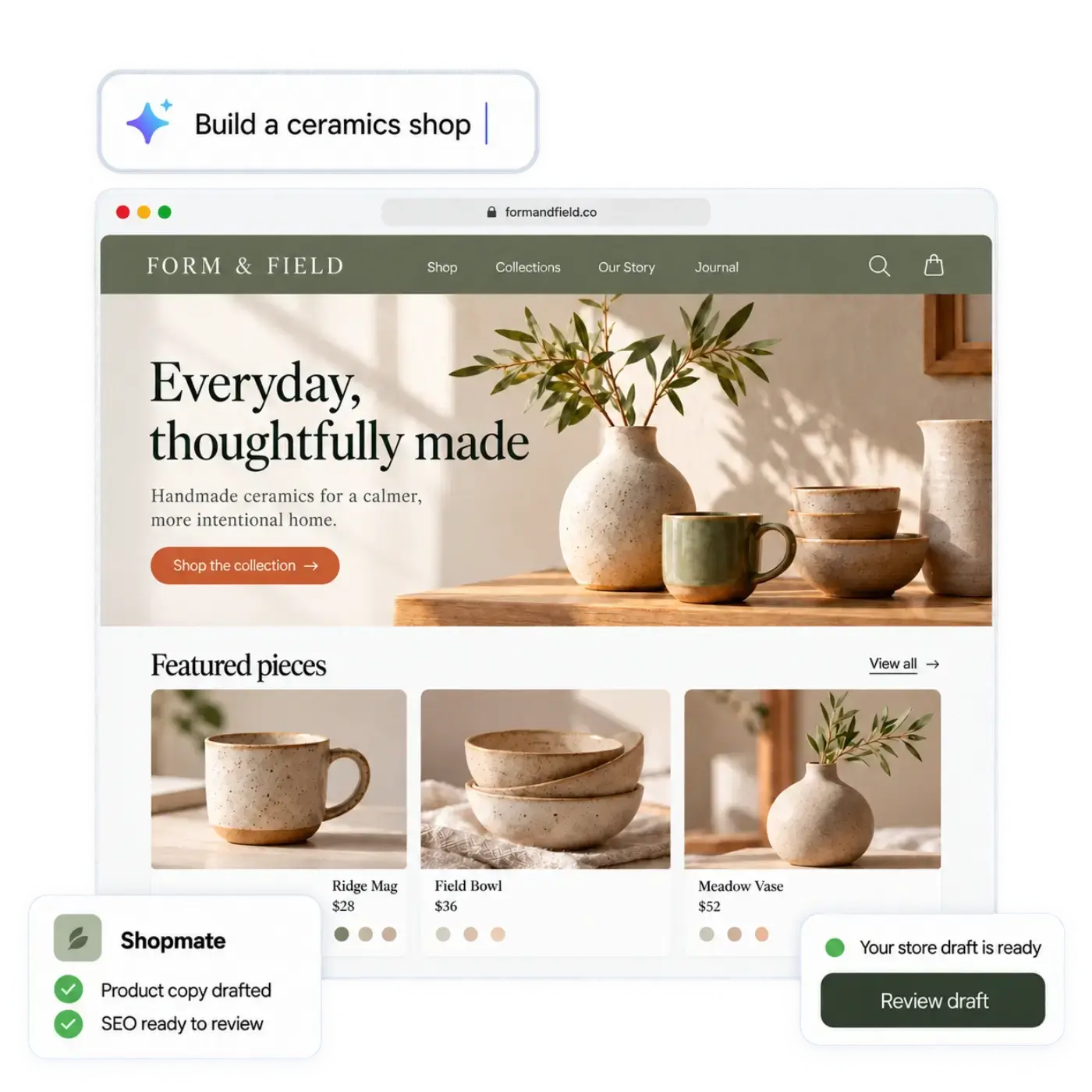
From idea to opening day
See your shop take shape, then make every detail yours.
STEP 01
Tell us what you sell, who it’s for and the look you have in mind.
STEP 02
AI brings together a storefront, page copy and a starting catalog.
STEP 03
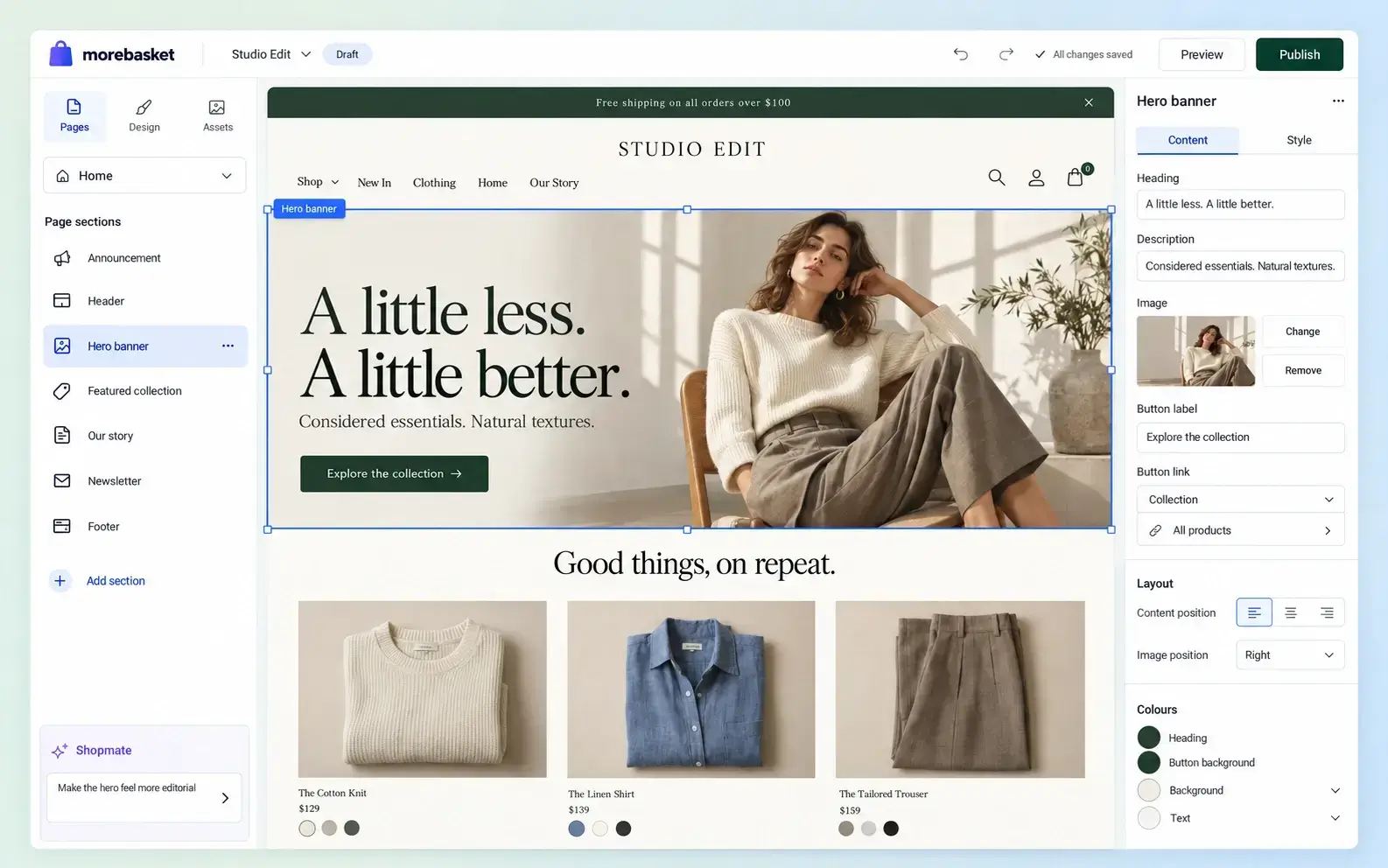
Edit visually or ask Shopmate. Check every product and page before launch.
STEP 04
Connect payments, set up shipping and publish when you’re ready.
A useful first draft
Your idea becomes a store you can explore, edit and make your own.
Describe your products, your customers and your style. The builder uses those details to create a starting point.
Page copy arrives as a draft. Keep what sounds like you, rewrite what doesn’t and check the details.
Start with a tailored layout, then adjust the colors, images and sections in the editor.
Draft products help you see the store take shape. Replace placeholders with your real products, prices and images.
Already have a catalog? Start from a product spreadsheet, or import a CSV in Products later.
You stay in control
AI prepares the draft. You decide what changes and when it goes live.
Review your storefront at your own pace. Your draft stays private until you choose to publish.
Make changes directly in the editor or ask Shopmate in plain words. Shopmate works on a draft and never publishes for you.
Add your payment account and shipping options, then check your products and prices before opening your shop.
Find your direction
Wear it your way.
An editorial look for your next collection.

Everyday, thoughtfully made.
A warm storefront for thoughtfully made pieces.

Take the long way.
Room for the products and stories behind your brand.
Example storefront concepts. Your draft starts with your description.
No. You describe your shop in plain words. The builder drafts the design, copy and catalog, and you change anything by clicking or by asking Shopmate.
No. Your store stays private until you publish it. Nothing the builder drafts is public until you decide, so you can read every page and product first and publish when you are ready.
Yes. The builder can start from a spreadsheet of your products, from a description of your shop, or from both. CSV import in Products is also a feature of its own, and you can edit each product afterwards.
It can. AI drafts may include a wrong detail or a line that does not sound like you. That is why you should read every page and product, and fix or replace anything that is off.
Yes. The design is a starting point. Edit it yourself in the editor, or ask Shopmate for a change in plain words. Shopmate works on a draft and never publishes for you.
We do not promise that. The builder saves you the blank-page work of a first draft. How well the store sells depends on your products, prices and what you do next.
Yes. The store it drafts is a morebasket store, so you carry on running it from the same admin. Shopmate helps you shape it, and the AI workforce is described on its own page.
Your next chapter starts here
Tell us what you sell. The AI builds a store you can edit, and you can start selling from it right away.
Try
Free to start. No credit card required. Explore plans