Skip to content

Store management

Keep the shop running. Keep everything together.

From the first order to the next delivery, manage your products, stock, customers and shipping in one place. The everyday essentials are ready when you are.

One store. Everything connected.

Your store, connectedExample workflow
A shop owner carefully packing an online order
From checkout to doorstep

One connected order journey

Order received
Stock reserved
Ready to ship

Store management

Everything behind the storefront

Orders, stock, customers, promotions and shipping, ready on day one.

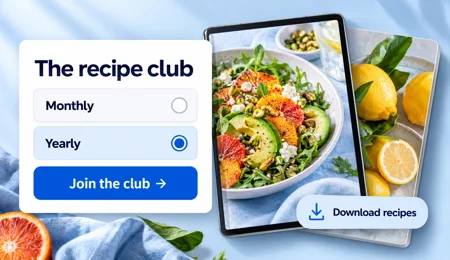
A digital recipe club with monthly and yearly membership options and downloadable recipes.

Digital products and memberships

Sell downloads and memberships, billed monthly or yearly through Stripe, on the Pro plan.

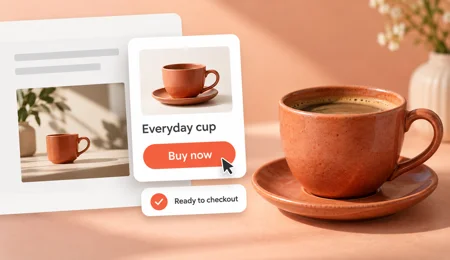
A ceramic cup with an embedded Buy now product card on an editorial page.

Buy buttons for any page

Embed a buy button for one product anywhere. Shoppers pay by card through Stripe in one step.

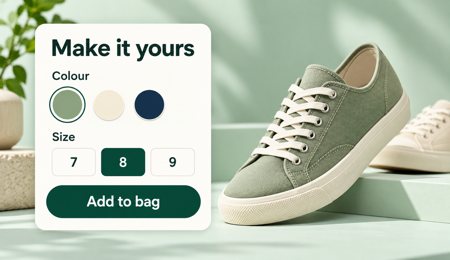
A sage sneaker with colour swatches and size options ready to add to a shopping bag.

Variants without the mess

Sizes, colours and options with their own prices and stock, kept in one clean product.

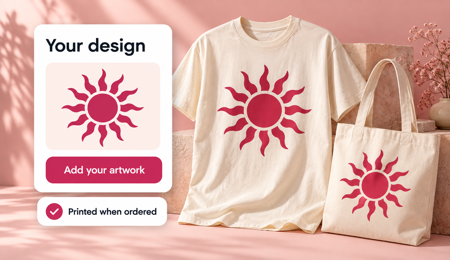
Custom sun artwork applied to a T-shirt and tote bag, printed when ordered.

Print on demand, built in

Add products from the Gelato and Printrove catalogues and sell without holding stock.

Orders in one list

See every order together, and export them whenever you need to.

Returns and exchanges

Handle returns, exchanges and claims from the order itself.

Draft orders

Create an order by hand for phone, in-person and custom sales.

Customers and groups

Keep customer records, and group customers for targeted prices and offers.

Promotions and campaigns

Run discounts and campaigns with rules you control.

Gift cards and store credit

Sell gift cards, and issue store credit when you need to.

Shipping, your way

Set shipping profiles, options and locations. Live rates come through Shippo.

Tax regions

Set up regions and tax regions for the places you sell to.

Reviews and replies

Approve, flag and reply to product reviews from one place.

Team and access

Invite your team and give each person the right access.

API and workflows

Use API keys, workflows and events to connect your own systems.

Stores kept apart

Each store's products, customers, orders, payments and files belong to that store alone.

The daily essentials

Six areas. One connected workflow.

Follow the work from product setup to payment and delivery, without losing the details along the way.

Orders

See orders together, manage returns and exchanges, and create draft orders for sales you take by hand.

Products

Keep sizes, colors, bundles and product details organized in one catalog.

Inventory

Track stock across locations and reserve items while orders are open.

Customers

Keep customer records together and organize groups for targeted prices and offers.

Shipping

Set profiles, locations and shipping options. Use Shippo for live carrier rates.

Payments

Connect your own Stripe or PayPal account and offer customers familiar ways to pay.

Sell more, on your terms

A sneaker with a weekend discount offer and confirmation that the offer was applied.

Promotions and campaigns

Plan discounts and campaigns ahead, and set the rules for who gets what.

A ceramic cup showing regular and wholesale prices for eligible shoppers.

Price lists

Offer wholesale and group prices alongside your regular ones.

A gift card and store credit balance ready to use at checkout.

Gift cards and store credit

Let shoppers give your shop as a gift, and keep customers coming back with credit.

Connect the tools you already use

A shopper makes a contactless phone payment at a boutique counter.

01 / 04 · Payments · 9 tools

Get paid the way your customers want

Each store connects its own accounts, so the money goes straight to you.

  • Cards and wallets, including Apple Pay and Google Pay
  • Pay-later options for bigger baskets
  • Your own accounts, your own rates
Apple Pay logo
Klarna logo
Sezzle logo
Wise logo
Apple Pay logo
Klarna logo
Sezzle logo
Wise logo
PayPal logo
Google Pay logo
Afterpay logo
Razorpay logo
PayPal logo
Google Pay logo
Afterpay logo
Razorpay logo
A shop owner packs an apparel order in a kraft shipping box.

02 / 04 · Shipping and fulfilment · 12 tools

Ship it, or let someone else make it

Live carrier rates for what you pack yourself, and print on demand for what you don't want to stock.

  • Live rates and labels from the major carriers
  • Print-on-demand catalogues built in
  • Tracking pages and shipping updates for customers
Shippo logo
Easyship logo
FedEx logo
USPS logo
Printful logo
ShipStation logo
DHL logo
A homeware shop owner helps a customer choose a ceramic cup.

03 / 04 · Marketing, support and accounts · 17 tools

Reach customers and keep the business tidy

Plug in the email, review, support and accounting tools you already rely on.

  • Email and text marketing to the customers you have
  • Reviews, loyalty and a help desk
  • Sales and tax flowing into your accounts
Brevo logo
Omnisend logo
Yotpo logo
Loox logo
Zendesk logo
QuickBooks logo
Avalara logo
Zapier logo
Klaviyo logo
HubSpot logo
Trustpilot logo
Judge.me logo
Smile.io logo
Gorgias logo
Xero logo
Google Analytics logo
A shopper browses clothing on their phone beside a cafe window.

04 / 04 · Channels and AI shopping · 6 tools

Sell wherever your customers already are

Add products once and publish them across your storefront, social feeds and AI shopping assistants.

  • Product feeds for Google and Meta
  • Etsy, TikTok and Pinterest
  • AI shopping assistants can buy directly (Stripe only, talk to us)
Google logo
Instagram logo
Pinterest logo
Google logo
Instagram logo
Pinterest logo
Facebook logo
TikTok logo
Facebook logo
TikTok logo

Questions about store management

Talk to us
Can I edit an order after it is placed?

Yes. You can edit the items on an order after it is placed, so you do not need to cancel it and start again. The change is made on the same order, so everything about that sale stays in one place.

How do returns, exchanges and claims differ?

A return sends an item back so you can refund it. An exchange sends it back and swaps it for a different item. A claim covers a problem on your side, such as a damaged or wrong item. All three are handled from the order, with return reasons you set.

Can I create an order for a customer myself?

Yes. Create a draft order, add the items and the customer, then manage it like any other order. This is useful for phone sales, messages and market stalls, where the sale does not start at your checkout.

Can I sell products with sizes and colors?

Yes. Add options such as size and color to a product and each combination becomes a variant. You can manage the variants of one product together, so you do not need a separate product for every size.

Can I import my products from a CSV?

Yes. You can import products from a CSV file. The import runs in the background, so you can keep working while it finishes. It is a good way to move a spreadsheet catalog into your new store.

Can I hold stock in more than one place?

Yes. Add a stock location for each place, such as a stockroom, a shop or a warehouse, and keep a level for each item at each one. You see what you have where, not just a single total.

What is a reservation?

A reservation is stock set aside for an order. When someone buys, the items are reserved for them, and you can see reserved stock alongside what you have on hand. It is a guide, so still check the shelf if many orders arrive at once.

Keep building your business

Your next chapter starts here

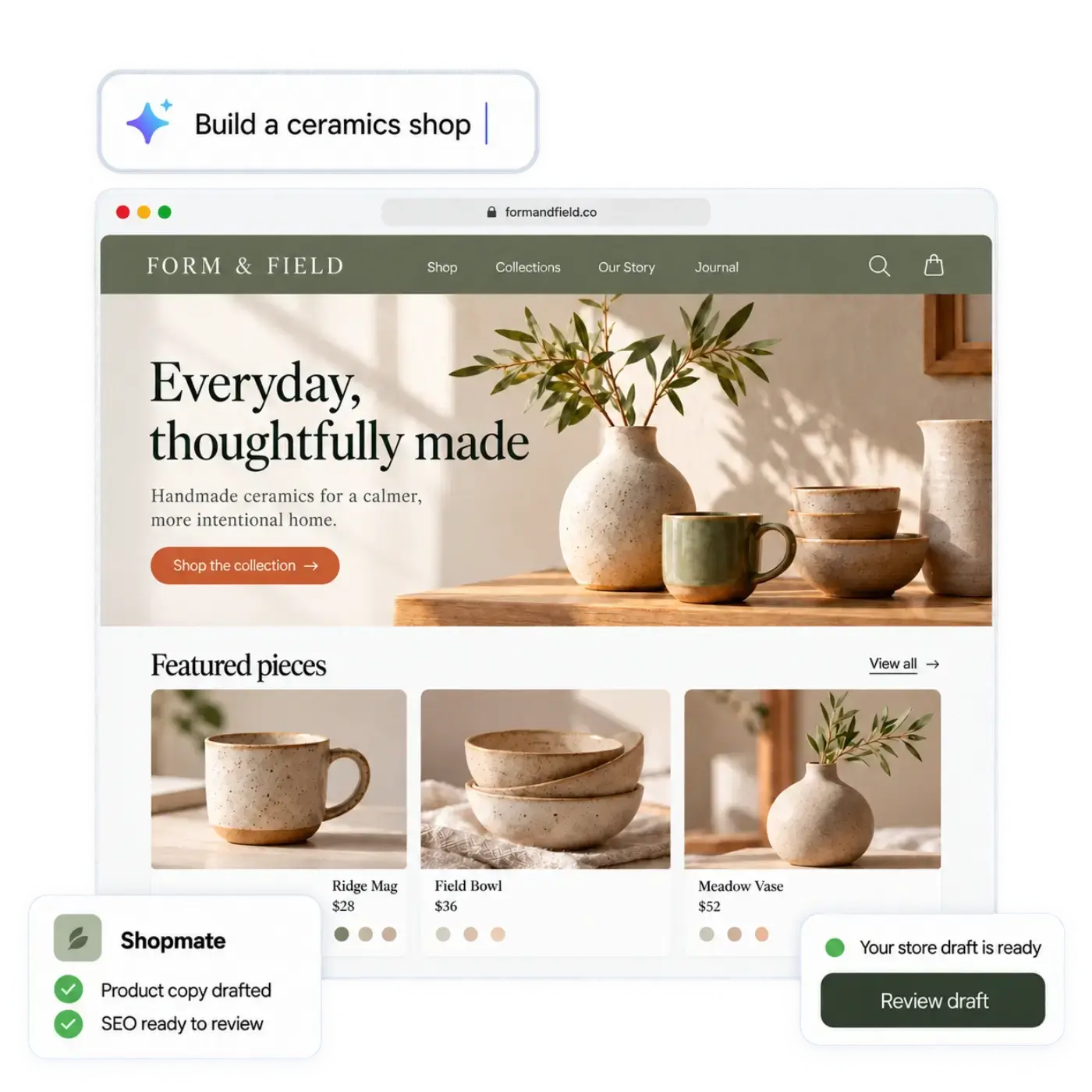
Describe your shop. Open it today.

Tell us what you sell. The AI builds a store you can edit, and you can start selling from it right away.

Try

Free to start. No credit card required. Explore plans

A ceramics shop created from a prompt, with Shopmate drafts and a storefront ready for review.