How to choose an ecommerce platform for a small shop
A buyer's checklist for small shops: compare cost clarity, checkout, building effort, catalog depth, channels, support and how hard it is to leave.
The morebasket team ·

Choose an ecommerce platform by comparing seven things: how clear the cost is, how checkout and payments work, how you build the store, how deep the catalog tools go, where you can sell, what support you get, and how hard it is to leave. Rank them by what your shop needs first.
Most buying mistakes come from comparing feature lists instead of comparing your own week. Picture the tasks you will do every day, then check which platform makes those tasks short.
What should I compare first?
Start with a one-page list of your own needs. Write down what you sell, where your customers are, how you ship, and who will run the store. A solo maker selling prints has different needs from a shop with three staff and a warehouse shelf.
Then score each platform on the seven points below. A 1 to 3 score per row is enough. You are looking for a clear winner on the rows that matter to you, not a perfect score.
1. Is the cost clear?
Ask for the full monthly picture, not just the headline plan. Look for:
- The plan price and what each plan includes.
- Whether you need paid apps or add-ons for basics such as a custom domain or product feeds.
- Payment fees, which come from your payment provider and sometimes from the platform too.
- What happens to your bill if you add a second store or a team member.
Our guide to what an online store costs lists every cost category so you can build your own estimate. On morebasket, Pricing shows what each plan includes, and payments go through your own provider at their rates.
2. How do checkout and payments work?
Check which payment providers the platform supports and whether the money goes straight to your account. Ask whether you connect your own account or use the platform’s.
In morebasket, each store connects its own Stripe or PayPal account, so payments go to your account. See Payments for regions, currencies and tax regions. Also check refunds: you want to refund from the order screen, not from three places.
3. How much work is it to build the store?
Building is where small shops lose weeks. Compare these approaches:
- Pick a theme, then fill in every page yourself.
- Hire a designer or developer.
- Describe the shop and let software draft the pages.
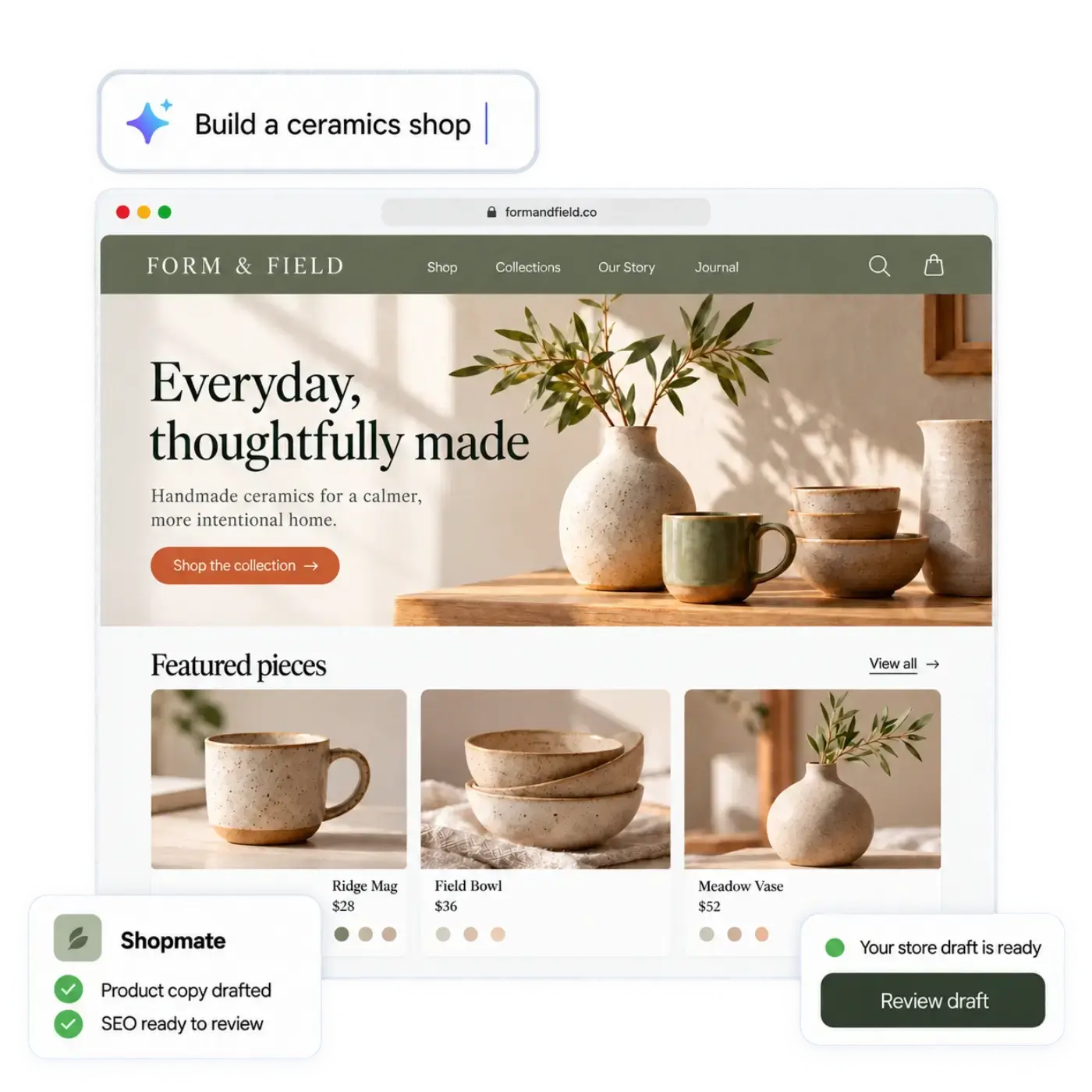
morebasket’s AI store builder takes the third route. You describe your shop in your own words, or start from a spreadsheet of your products, and it drafts a design, page copy and an initial catalog. You edit by clicking or by asking Shopmate, and your store stays private until you publish it. The CSV import in Products also works on its own. Whatever platform you pick, ask whether the store is private until you publish it, how you review the first draft, and how much you can change.
4. How deep are the catalog tools?
A shop with five products can live with almost anything. A shop with sizes, colors, bundles and stock in two places needs more. Check for:
- Variants and options such as size and color.
- Collections, categories and tags.
- Bulk import and export by CSV.
- Stock tracking across locations.
In morebasket, Products covers variants, collections, categories, bundles and CSV import and export, and Inventory covers stock across locations and reservations.
5. Where can you sell?
Your own storefront is the start. Ask what else the platform can reach: marketplaces, social shops, a buy button on another site, product ads.
morebasket can send a product feed to Google and Meta, and a buy button lets you sell from any page. Etsy sync pushes your listings to your Etsy shop and brings Etsy orders into your order list, and TikTok and Pinterest are sales channels you add from your admin. Read Sales channels for the full list. Do not pay for channels you will not use this year.
6. What support will you get?
Look for support before you need it. Check the hours, the channels (chat, email) and whether higher plans get priority. Ask whether the platform helps you move in. On morebasket, the Business plan includes priority support and help moving from another platform.
7. How hard is it to leave?
This is the question most buyers skip. Check that you can export your products, orders and customers in a standard format, and that you can use your own domain. morebasket supports CSV export for products and orders, and an own domain on the Pro plan. Moving later should be a weekend job, not a rebuild.
A one-page scorecard
| Question | What to look for |
|---|---|
| Cost | Clear plan contents, no surprise add-ons |
| Payments | Your own provider account, clear refunds |
| Building | A first draft you can review and edit, and clarity on when it goes public |
| Catalog | Variants, collections, CSV import and export |
| Channels | The channels you will actually use |
| Support | Real people, a path for migration help |
| Exit | Export and own domain |
How do I test a platform before I commit?
Run the same mini project on each short list platform: add five products with two variants each, connect a payment account in test mode, set one shipping option and place a test order. Time each one. The platform that gets you to a finished test order with the fewest questions is usually the one you will enjoy using.
If you are already on another platform, see Shopify alternatives or the morebasket and Shopify comparison for a side-by-side view.
Next step
Write your one-page list of needs, pick two platforms, and run the five-product test on both. If morebasket is one of them, read the AI store builder page and see which plan fits on the pricing page.