How to use AI to write product descriptions
A practical way to draft product descriptions with AI: what to give it, prompts to copy, and a checklist to review every draft before you publish it.
The morebasket team ·

You can use AI to write product descriptions that sound like you by giving it real facts, a short sample of your own writing and a clear format, then editing every draft yourself. AI is good at a first draft. You supply the truth and the voice.
Why do AI product descriptions often sound generic?
An AI model writes from the patterns it has seen. If you type “write a description for a leather wallet”, it fills the gaps with the most common phrases about leather wallets. The result is smooth and forgettable.
Two things fix that. Give it facts only you know, and show it how you write. The rest of this guide is a way to do both without spending an afternoon on it.
What should you give the AI before you ask?
Collect a small brief for each product. Paste it in as plain notes.
- What it is, in one plain sentence.
- Materials, sizes, weight and care, exactly as they are.
- Who it is for and when they would use it.
- Two or three details a customer would not guess from the photo.
- What it does not do or include, if a buyer might wonder.
- Words you use, and words you never use.
Do not let the AI invent specifications. If a fact is not in your notes, it should not be in the description.
How do you teach it your voice?
Pick two or three things you have written that you like: an About page paragraph, a good email, an old product description. Paste them in and ask the AI to describe the style before it writes anything.
A prompt you can copy:
Here are three samples of how I write. Describe my style in five bullet points: sentence length, tone, words I favor, and what I avoid. Then wait for my product notes.
Check that description. If it says “playful and punchy” and you are calm and precise, correct it now. Then keep that style note and paste it at the top of every new request.
Which prompts work for product descriptions?
Start with a prompt that sets the rules, then give the notes.
First draft
Write a product description in the style above. Use only the facts in my notes. Length: about 80 words. Start with what the product is and who it suits. End with one line on care or delivery. Do not use the words “perfect”, “ultimate” or “must-have”.
Shorter version for a listing
Rewrite this in two sentences for a product card. Keep every fact. Do not add new claims.
Variants and options
List the differences between these three sizes in a small table: size, dimensions, best for. Use only my notes.
Fact check
List every claim in this description as a bullet. Mark any claim that is not in my notes.
That last prompt is worth using on every draft. It makes the AI show its own invented details so you can cut them.
What is a good review checklist before you publish?
Treat the draft as a junior writer’s work. Read it once for meaning and once for facts.
| Check | What to look for |
|---|---|
| Facts | Sizes, materials, colors and care match your notes and the product itself |
| Claims | No promises you cannot keep, such as “lasts forever” or “fits everyone” |
| Voice | It sounds like something you would say to a customer |
| Specifics | At least one detail a competitor could not copy |
| Plain words | No filler such as “high quality” with nothing behind it |
| Readability | Short paragraphs or a short list for features |
| Search | The product name and its main type appear naturally, once or twice |
| Rights | Nothing copied from another shop or a brand you do not carry |
If a draft fails two or more rows, do not patch it. Add better notes and run the prompt again.
How do Shopmate and the Product agent help?
morebasket has two places where AI helps with product copy, and in both you stay the one who decides what shoppers read.
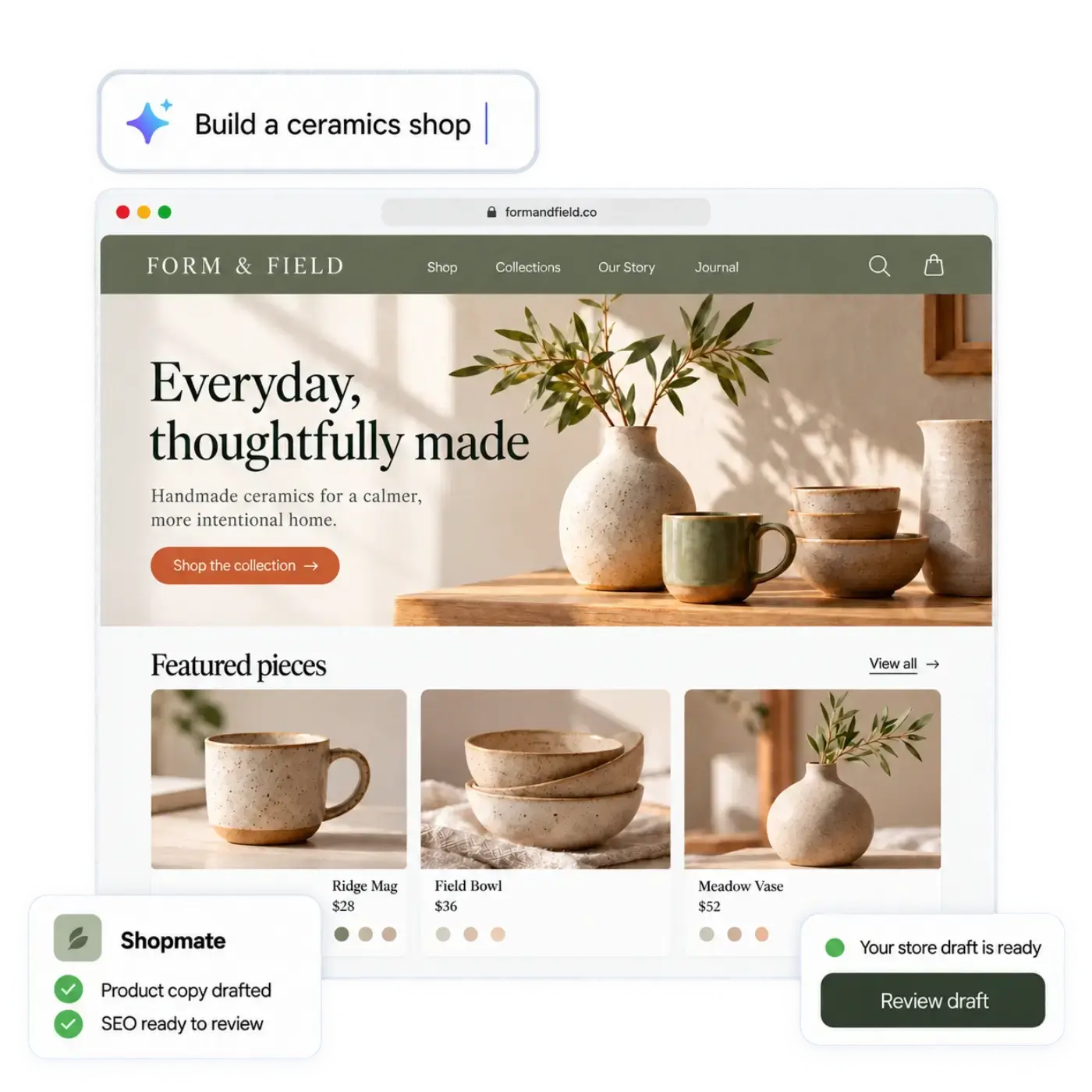
Shopmate is the AI assistant in morebasket. While you build your store, you can ask it in plain words to draft or rewrite descriptions and other copy. Shopmate changes a draft of your design. Small edits apply right away and Undo is one click away. Removing something, or making a big change, asks you to confirm first. Changes to your store data, such as products, arrive as suggestion cards that you apply, each with its own undo. Shopmate never publishes anything: you do. Shopmate also works inside your admin, where it can help with product copy, collections, discounts and images, again as suggestion cards that you apply.
The AI workforce includes a Product agent that drafts product listings using your live store data. You decide what runs automatically and what needs your approval. For descriptions, most owners will want to keep approval on, at least at first, so every draft is read before shoppers see it.
The plan list on the pricing page puts the AI workforce on the Business plan, with more agents and jobs.
Neither tool replaces the checklist above. AI can get things wrong, and the person who knows the product is you.
What does a simple workflow look like?
- Write your voice note once and keep it somewhere you can paste from.
- For each product, write the brief: facts, audience, details, exclusions.
- Ask for a first draft with the rules prompt.
- Run the fact check prompt and remove anything not in your notes.
- Edit by hand until you would say it out loud.
- Publish the product, and look at the live page on a phone.
If you are importing many products from a spreadsheet, do the brief in a column. Clear notes per row give much better drafts than a product name alone. See products for how products, variants and import work in morebasket.
Does this help with search?
Specific, accurate descriptions help people and search engines understand what you sell. They are also what Google and AI assistants read when they describe your products. Nobody can promise a ranking, so write for the buyer first. Our guide to getting found in Google and AI assistants covers the wider picture, and the ecommerce SEO checklist has the basics for titles and descriptions.
Next step
Pick your three best-selling products. Write a short brief for each, draft them with the prompts above, run the fact check and publish only what you would stand behind. If you have not built your store yet, start with your first store and let Shopmate help with the first drafts.