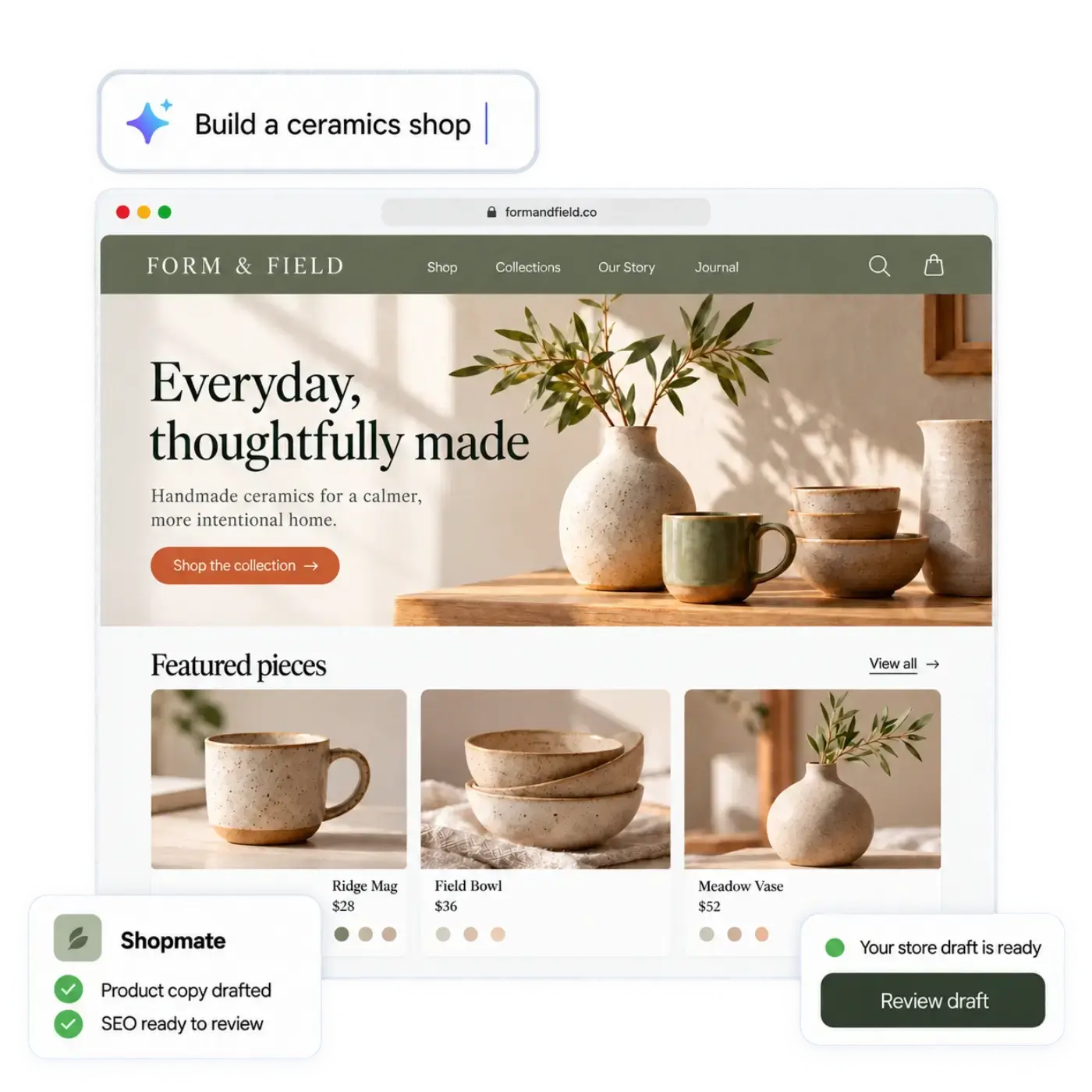
Meet Shopmate, your AI assistant for the shop
What Shopmate does while you build and inside your admin, example requests, what it does not do, and how it differs from the AI workforce.
The morebasket team ·

Shopmate is the AI assistant in morebasket. You ask for a change in plain words, such as “add a section about shipping”, and Shopmate makes it in a draft of your design. Small edits apply right away and you can undo them with one click. Bigger changes ask you to confirm first, and Shopmate never publishes anything. It helps while you build your store and inside your admin once the shop is running.
What does Shopmate do?
Shopmate helps you build and change your store without hunting through menus. You type what you want, and it makes the change in a draft for you to review.
It works alongside the AI store builder. The builder drafts your first design, page copy and catalog from a short description of your shop or a spreadsheet of your products. Shopmate then helps you shape that draft. See the Shopmate page for the short version.
You can always do the same work by hand. Shopmate is a faster route, not the only one.
What can I ask Shopmate?
Ask the way you would ask a helpful colleague. Short, clear requests work best. Here are examples of the kind of thing to try:
- “Make the headline on the home page shorter.”
- “Add a section that explains how delivery works.”
- “Rewrite this page in a warmer tone.”
- “Draft a description for this product.”
- “Move the shipping section higher up the page.”
Each one gives you something concrete to check. If the result is close but not right, say what to change: “shorter”, “less formal”, “mention that it is handmade”. Our guide to using AI to write product descriptions has tips for getting better drafts.
How do I stay in control?
Control is part of how Shopmate works. It edits a draft, it asks before it does anything big, and it never publishes for you.
- You ask for a change in plain words.
- For a design change, Shopmate edits a draft of your design. A small edit applies right away, and Undo is one click away. Undo works within the same session, so check your work before you close the page.
- If the request removes something, or changes a lot at once, Shopmate asks you to confirm. You choose Apply or Cancel.
- If the request changes your store data, such as products, collections or promotions, Shopmate shows it as a suggestion card. You apply the card, and each one can be undone.
- Publishing is always your step. A draft stays a draft until you publish it.
A bad suggestion costs you a click on Undo, not a customer. Your store stays private until you publish it, and Shopmate never does that step for you. AI can get things wrong, including facts about your products, so read what it writes, especially prices, materials, sizes and claims about your business.
What does Shopmate not do?
Being clear about limits helps you plan.
- It does not publish. Only you publish.
- It does not make big or destructive changes without asking you to confirm first.
- It does not replace your judgment about your brand, your prices or your policies.
- It does not know things about your shop that you have not told it or that are not in your store.
- It does not publish for you in the admin either. Suggestion cards for your store data wait for you to apply them.
If you want something that cannot be done by asking, you can still edit by clicking, or ask your team. For a walkthrough of the build process, read how to create your first store.
How is Shopmate different from the AI workforce?
They sound alike, but they do different jobs.
| Shopmate | AI workforce | |
|---|---|---|
| What it is | An assistant you talk to | A team of AI agents with set roles |
| How you use it | Ask for a change in plain words | Decide which jobs run and which need your approval |
| Where it helps | Building your store and helping run it from the admin | Routine store work using your live store data |
| Your control | Small edits apply with undo, big ones ask you to confirm, and you publish | You choose what runs automatically and what waits for you |
The AI workforce includes agents for products, SEO, building, orders and inventory. Think of Shopmate as the person at your elbow, and the workforce as the team handling regular jobs. The plan list puts more agents and jobs on the Business plan. Our post on what an AI workforce can do for a small shop goes deeper.
Does Shopmate work inside my admin?
Yes. Shopmate also works inside your admin to help you run the shop, not only build it. It can help with product copy, collections, discounts, images and a plain sales report. Changes to your store data arrive as suggestion cards that you apply, each with an undo, and Shopmate never publishes for you.
A sales report from Shopmate is a plain summary to help you see how the shop is doing. Treat it as a starting point, and check the numbers you plan to act on against your orders.
Is there anything else for learning the shop?
Game mode turns everyday store operations, such as orders, stock and shipping, into a game. It is for you and your team, and it is a way to learn and run the shop by playing. It sits beside Shopmate: Shopmate does the work when you ask, and game mode helps people get used to the work.
Who is Shopmate for?
Shopmate suits owners who know what they want but not where the setting lives. It also suits people who find blank pages hard. If you like to click and edit directly, you can ignore Shopmate and still use everything else.
Both Starter and the higher plans include the AI store builder and Shopmate. Compare plans on the pricing page.
Next step
Describe your shop in one sentence on the morebasket home page, read the first draft, then ask Shopmate for three changes. Notice which changes apply right away and which ask you to confirm. When you are ready, follow the guide to launching your store in a day.