What’s new in October 2026
A roundup of what you can do in morebasket today across AI, selling and running your store, with links to the guides for each.
The morebasket team ·

This roundup lists what you can do in morebasket as of October 2026. It covers AI, selling and running your store, with a link to the right guide for each item. We give no version numbers or dates here, because this is a picture of today, not a release log.
AI
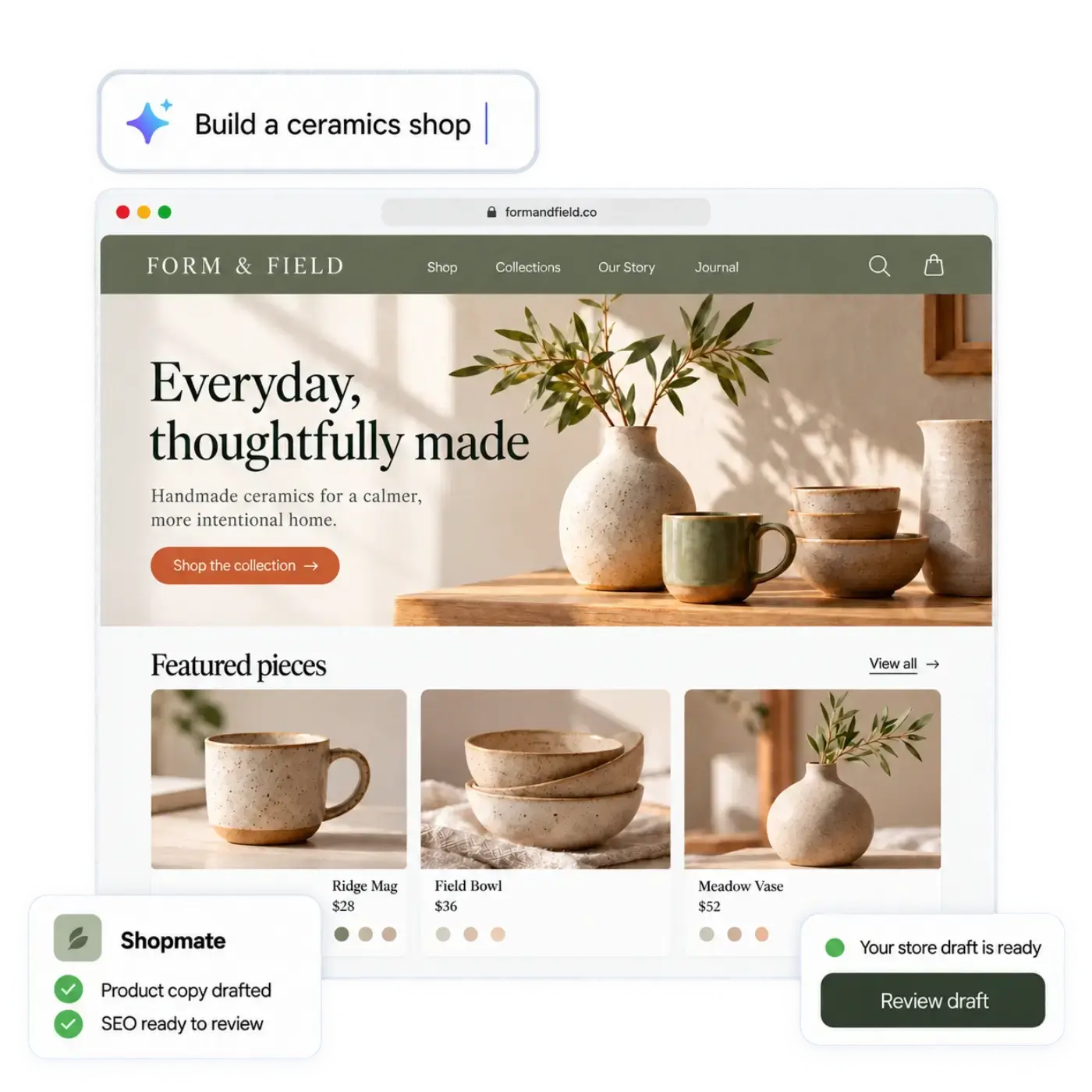
AI store builder. Describe your shop in your own words, or start from a spreadsheet of your products, and the AI store builder drafts a design, page copy and a starting catalog. You edit anything by clicking or by asking Shopmate. CSV import in Products also works on its own. Your store stays private until you publish it, so you can check it and edit it at your own pace.
Shopmate. Ask for changes in plain words while you build. Shopmate changes a draft of your design: small edits apply right away and Undo is one click away, while removing something or making a big change asks you to confirm. Changes to your store data, such as products, collections and promotions, arrive as suggestion cards that you apply, each with undo. Shopmate never publishes anything: you do. Shopmate also works inside your admin to help you run the shop. It can help with product copy, collections, discounts, images and a plain sales report. Read meet Shopmate for examples.
AI workforce. AI agents (currently Product, SEO, Builder, Order and Inventory) take on routine store jobs using your live store data. You decide what runs automatically and what needs your approval. See what an AI workforce can do for a small shop. The plan list puts the AI workforce on the Business plan, with more agents and jobs.
Ready-made and custom workflows. Start from published AI workflows and switch them on, or write your own custom workflows with the API and your live store data. For both, you decide what runs automatically and what needs your approval. You can also contribute your workflows to the marketplace, so other store owners can find and use them. See Developers.
Checkout for AI shopping agents. morebasket has checkout for AI shopping agents built on the Agentic Commerce Protocol, so AI assistants can buy from your catalog. It runs on Stripe, through a Stripe program that needs enrollment, and it is not self-serve: talk to us to get it set up. Learn more in what is agentic commerce.
Game mode. Turns everyday store operations, such as orders, stock and shipping, into a game that you and your team can learn and run the shop with. See Game mode.
Selling
Online store. Storefront, themes and pages, with your own domain on the Pro plan, according to the plan list. See the Online store page.
Payments. Storefront checkout offers Stripe or PayPal, and each store connects its own accounts. Memberships, the buy button and agent checkout use Stripe only. See set up payments.
Buy buttons. Paste a script on any page to sell one product from it in a single step. The shopper pays by card through Stripe without leaving your page, and shipping is applied automatically using your cheapest available option. There is no basket or variant picker, and PayPal is not available in the widget. The plan list puts buy buttons on the Pro plan. See add a buy button.
Google and Meta product feed. Each store has a product feed you can share with Google and Meta. The plan list puts it on the Pro plan. See send your products to Google and Meta.
Print on demand and creator tools. Choose an item from the Gelato catalog, upload your design and brand it into your own product; activating it creates a draft product for you to review and publish. You create and manage membership tiers and digital products from their own screens in your admin. Digital products are delivered to the buyer, who receives the download link by email, and memberships are billed monthly or yearly through Stripe. Printrove is a second print-on-demand supplier alongside Gelato: you choose catalog items, add your design and brand them into your own products the same way. Pro plan.
Promotions, gift cards and price lists. Create promotions and campaigns. The plan list puts gift cards, store credit and price lists on the Pro plan. See create discounts and promotions.
Sales channels. Connect your Etsy shop to a store, push your product listings to Etsy (size and color options are mapped to Etsy’s properties) and bring Etsy orders into your order list. TikTok and Pinterest are sales channels you add from your admin, next to your storefront and your Google and Meta feed. See Sales channels.
Running the store
Orders. Manage payments, fulfilments, returns, exchanges and claims, create draft orders and export orders. See manage orders, returns and exchanges.
Products and inventory. Variants, collections, categories, CSV import and export, and stock across locations. See sell products with variants and manage stock across locations.
Shipping. Stock locations, shipping profiles and options, manual fulfilment, and carrier rates through Shippo. See set up shipping rates.
Customers and reviews. A customer list, customer groups such as wholesale buyers, and product reviews, which are collected and moderated in your admin, where you can also reply as the shop.
Translations and regions. The ability to translate your store content, and regions with their currencies. See sell in more than one currency.
Many stores, one login. According to the plan list, the Business plan lets you run several stores from one account and switch between them. See multi-store.
Where to start
If you are new, create a store, let the AI store builder draft it, and place a test order before you share the address. If you already sell somewhere, add your channels one at a time and keep prices and stock right in each. Everything above keeps the limits described in its guide: Shopmate edits a draft and never publishes, the buy button sells one product, and memberships are Stripe subscriptions.
We do not make certification claims on this site. Compare plans on the pricing page.